We have published a few videos in the IaC Avengers YouTube channel about automation using Ansible and how this can be integrated into an ITSM tool like ServiceNow to provide a cloud-like experience for private infrastructure. In the last two videos we have even demonstrated how to treat ServiceNow as the single pane of glass to consume both private and public clouds. This approach provides a much needed unified governance and cost control in a multicloud environment.
However, while showing the demos and having conversations with customers, I can see a question coming up more often. How do we cope with errors? It makes sense that this question is coming up now. We are taking the automation conversation out of the realm of the datacenter and elevating it all the way to the end-user in the ITSM world. This means “Enterprise” requirements, which in turn means less room for failure. Also, if we expose it to the end-user we are no longer talking about dozens of engineers, now we have potentially thousands of possible consumers.
A sample architecture like shown in the videos is as follows:

The requirements are:
- let the user know that the workflow didn’t complete so that they are not sitting there waiting. Depending on the error they might want to retry
- inform the engineers that a specific workflow is failing and they need to look into it
This can and should be done both at the ServiceNow level and the Ansible level. In this post we are going to focus on the Ansible side of things. Most mature organizations use RedHat Ansible Automation Platform. I have also included the old name Ansible Tower because somehow is still stuck in people’s heads … it is certainly shorter and easier to pronounce. Of course this is also applicable to AWX, the community support edition
From an Ansible syntax perspective you can do error handling with things like “blocks and rescue” or other techniques. However, our guiding principle here is not so much to make sure the playbook continues despite errors and ends gracefully. What we want in this case is to make sure that both the engineer and/or user gets notified. For this purpose I find the “Notifications” functionality does the job nicely. You can find “Notifications” on the left bar under the Administration menu. If you click the “Add” button you get a menu like this
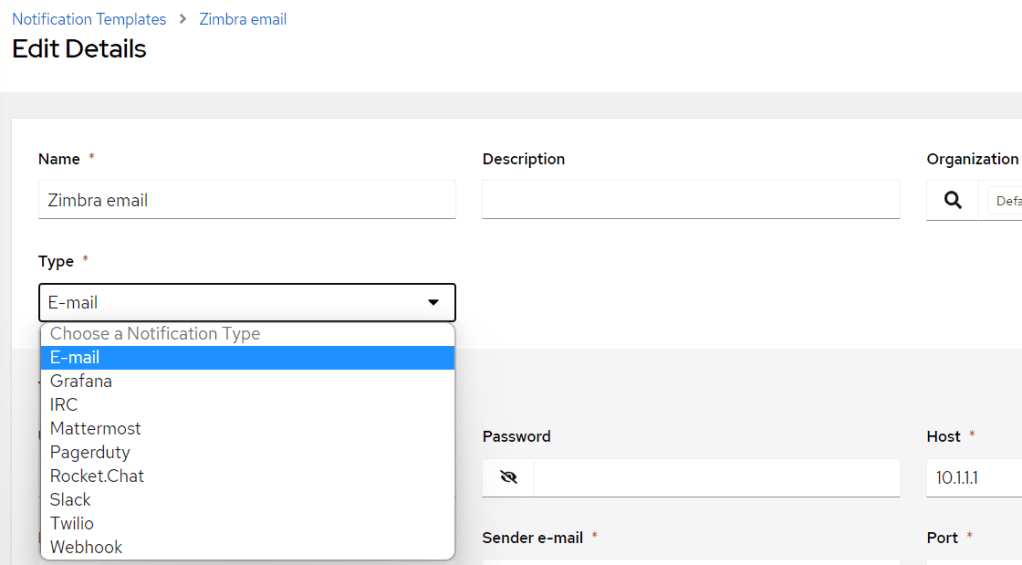
After providing a name you need to select the notification “Type”. Depending on your selection a number of relevant configuration options are shown. For example if email is selected it will ask for IP and port of the SMTP server and so on. Once you fill those details scroll to the very bottom and slide the “Customize messages” button. This will reveal the syntax of the notification messages. The tool supports sending notification on 7 different types of events including start, error, time out and even the outcome of an approval. Notice how the prepopulated messages use variables with the double curly bracket syntax.

In my example I have created a notification to send emails to a Zimbra SMTP server we have in the lab. As you saw in the previous image is called “Zimbra email”. For testing purposes I have created a job template that runs a playbook called “wrong.yml”. This is single task playbook that uses the “uri” module to access a webpage. I have fed the task with an IP address that doesn’t exist, so the playbook will fail

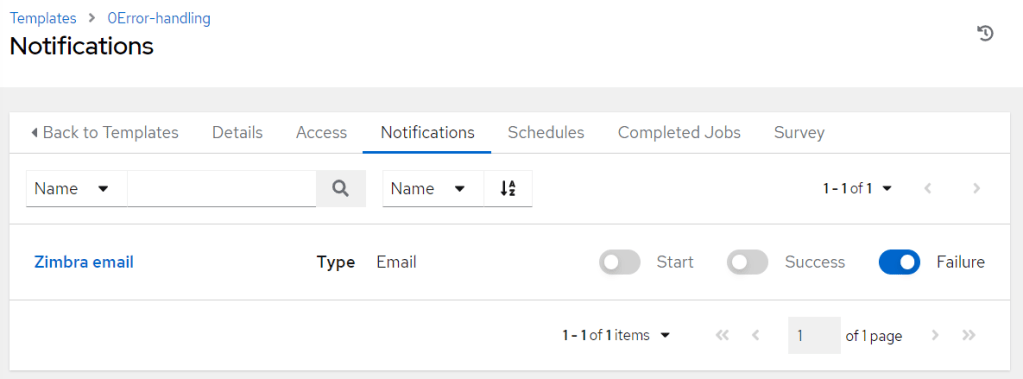
From the template we click in the “Notifications” tab. It will show you all the notifications you have configured. In my example “Zimbra email” is the only one. On the right side you will have the opportunity to enable any of the available notifications when the template starts, succeeds or fails. If you do the same thing for a “workflow template” it will show an additional slide button named “Approval”
All is left to do is to run the template. When I run it fails as expected and I get an email in my Inbox with the following message. Notice how the body of the email maps to the syntax we saw in the “Customize messages” menu
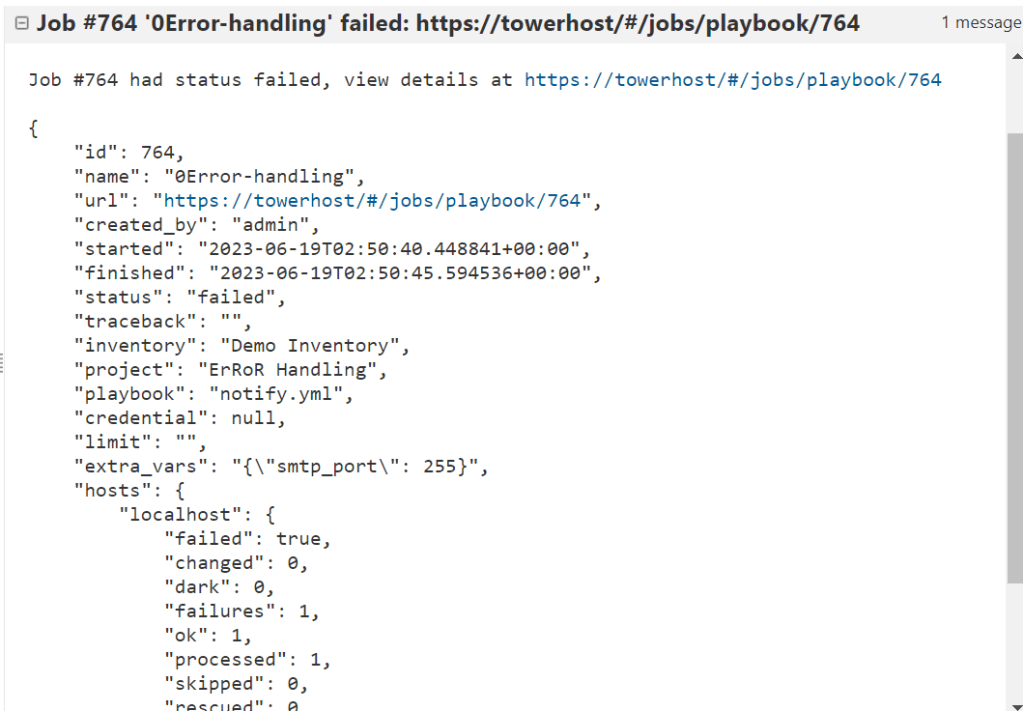
These messages could be sent to a group of engineers that look after the platform. I particularly like the fact that there is a “Webhook” type. This opens the possibility of sending a notification to a Teams channel which is a more popular choice than email these days. You can see in this previous post how to send notifications to a Teams channel. Additionally it would make sense to create an incident automatically in your ITSM tool. Some time ago we also published a tutorial to show you how to create incidents in ServiceNow programmatically.
Categories: DellEMC

 {{ vExpose }}.Blog