The problem
This is a quick post to present a solution to this problem that bugged me for a while. If you are using Ubuntu as the guest OS for vSphere virtual machines you might encounter this problem. I was running Ubuntu 22.04 but I think it might be the same problem for other versions.
Every new VM I created was getting the same IP address from the DCHP server even though the MAC address was different.
The explanation
I had a Ubuntu VM template configured for DHCP as follows:
root@albmtest:~# cat /etc/netplan/99-netcfg-vmware.yaml
# Generated by VMWare customization engine.
network:
  version: 2
  renderer: networkd
  ethernets:
    ens160:
      dhcp4: yes
      dhcp4-overrides:
        use-dns: false
      nameservers:
        addresses:
          - 172.24.1.10
The explanation is that by default Ubuntu’s Netplan doesn’t use the MAC address for DHCP. By default it uses the “machine-id”. This is explained in this paragraph of the Netplan documentation.
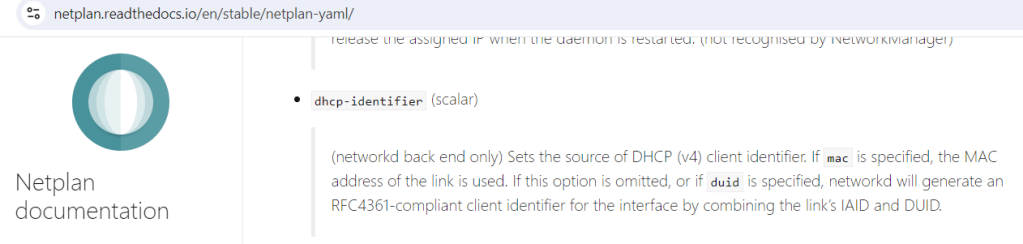
So, unless you set “dhcp-identifier” to “mac“, by default netplan uses “machine-id“. You can find this in “/etc/machine-id” inside the VM. But as I found out, it transpires VMware doesn’t change regenerate “/etc/machine-id” in the guest by default. When you put those 2 default behaviors together you get a problem.
The Solution
You can solve this by either:
- erasing the machine-id before creating a template by running “
echo > /etc/machine-id“ - editing the netplan yaml file to force it to use “
mac” addresses for DHCP
root@albmtest:~# cat /etc/netplan/99-netcfg-vmware.yaml
# Generated by VMWare customization engine.
network:
  version: 2
  renderer: networkd
  ethernets:
    ens160:
      dhcp4: yes
      dhcp4-overrides:
        use-dns: false
      dhcp-identifier: mac
      nameservers:
        addresses:
          - 172.24.1.10
If you modify “netplan” don’t forget to “apply” to make sure any changes you make are activated.
root@albmtest:~# netplan applyFinal TIP: when you are testing your changes, you can force the DHCP client to renew the IP like this
root@albmtest:~# dhclient -rI hope this post saved you some trouble. Good luck!
Categories: DellEMC

 {{ vExpose }}.Blog